

File formats
The preferred file format for printing is PDF. We also accept JPG, JPEG, PSD, PNG, TIF, TIFF, EPS, AI, Publisher, DOCX, DOC, XLS, XLSX, PPT, PPTX, BMP, GIF, SVG, TXT, ZIP and CSV files.
The preferred file format for printing is PDF. We also accept JPG, JPEG, PSD, PNG, TIF, TIFF, EPS, AI, Publisher, DOCX, DOC, XLS, XLSX, PPT, PPTX, BMP, GIF, SVG, TXT, ZIP and CSV files.
We require artworks to be in CMYK color space and have a minimum resolution of 300dpi. A 0.125" bleed from each side of artwork is required for most products.

Maximum allowed 600 MB. If your file is larger than 600 MB, please contact Customer Service for assistance.

We recommend keeping small texts at 8pt and thin lines at 0.5pt to avoid problems during printing.
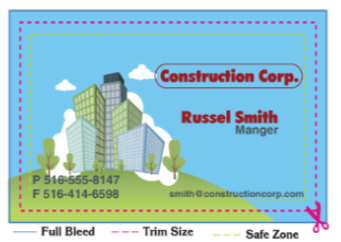

A bleed area is when an image extends beyond the cut line of the printed product. If your image is not white on all four sides, you MUST include an extra 1/8" (0.125") on each side of the card to be trimmed after the printing is complete. For example, if you are ordering a 3.5" x 2" business card, you would set your artwork size to 3.75" x 2.25".
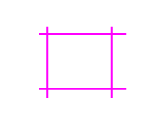
The cut line is where your product will be trimmed to, once the bleed area is removed. Please remember, due to cutting tolerances of printing, the cut may shift up to 1/16 of an inch in any direction.
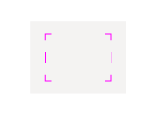
A safe area is a margin within the cut line which will prevent text or type from being cut off. It is imperative that no text or essential parts of your artwork come within 1/8" of the trim line.

It is a PDF document we prepare upon your request, so you can review your design for details like trim lines, folding lines and colors before we print your order.

Possibly. Proofs approved before 5PM PST will go into the printing queue that day. Proofs approved after 5PM PST will go into the printing queue the following day.

If you request for a PDF proof, it will be ready within 6 hours after you place your order. You will receive an email notification once your proof is ready. You will need to go to Your Account to review and approve your proof so we can continue processing your order.
On rare occasions, if we find issues in your files, our experts will contact you within 24 business hours to work with you on a resolution.

If you notice any issues in your PDF proof, you can reject it and request a new one with additional comments or instructions, or submit a new file. You can always contact Customer Service if you need further assistance with your files.
No. We do not change text or art. We only fix print-related technical issues found in your file.
Create Two files. One for the artwork, one for the Foil. The artwork file will house the main design image. CMYK color file in PDF, PNG, JPG, or GIF format. The element file will define where the element is applied on top of your design. B&W PDF file only.